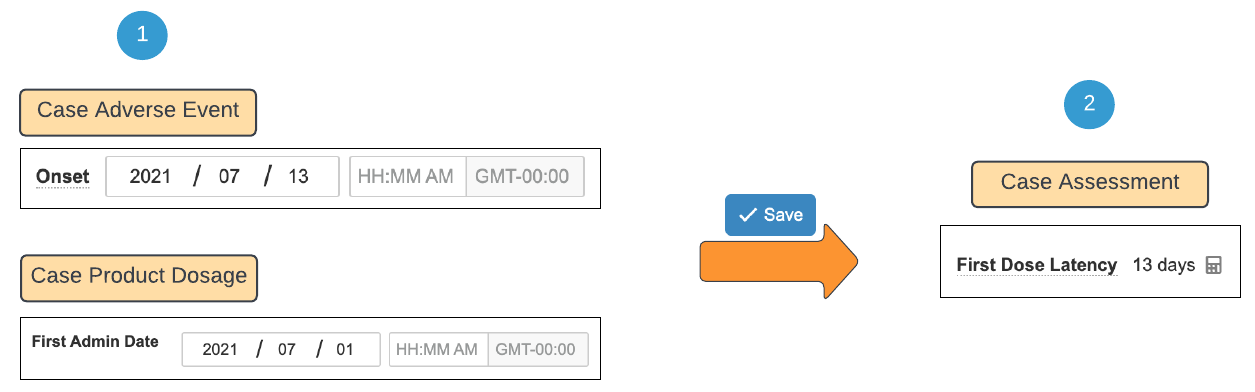
Note: The above fields must specify a minimum precision to the day in order for auto-calculation to occur.
1. The **First Admin Date** and **Onset** date are populated with a precision to the day (YYYY/MM/DD).
2. Upon saving the Case Product Dosage and Case Adverse Event records, the system automatically calculates the **First Dose Latency** with a precision to the day.
### Diagram B: Last Dose Latency Calculation with Date Precisions to the Day
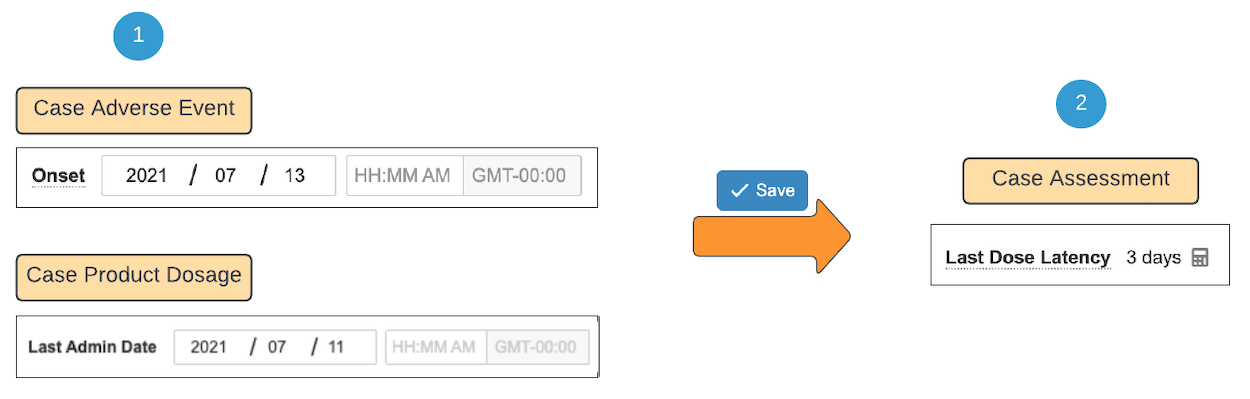 1. The **Last Admin Date** and **Onset** date are populated with a precision to the day (YYYY/MM/DD).
2. Upon saving the Case Product Dosage and Case Adverse Event records, the system automatically calculates the **Last Dose Latency** with a precision to the day.
### Diagram C: Latency Calculation with Precisions to the Time of Day
1. The **Last Admin Date** and **Onset** date are populated with a precision to the day (YYYY/MM/DD).
2. Upon saving the Case Product Dosage and Case Adverse Event records, the system automatically calculates the **Last Dose Latency** with a precision to the day.
### Diagram C: Latency Calculation with Precisions to the Time of Day
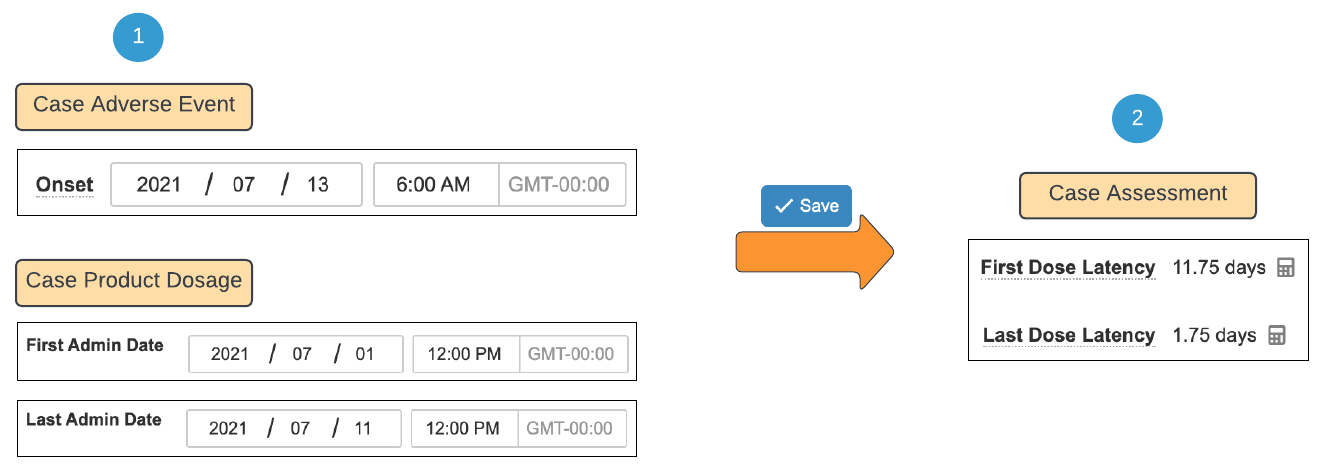 1. The **First Admin Date**, **Last Admin Date**, and **Onset** date are populated with a precision to the time of day (YYYY/MM/DD HH:MM).
2. Upon saving the Case Product Dosage and Case Adverse Event records, the system automatically calculates the **First Dose Latency** and **Last Dose Latency** with even more precision.
1. The **First Admin Date**, **Last Admin Date**, and **Onset** date are populated with a precision to the time of day (YYYY/MM/DD HH:MM).
2. Upon saving the Case Product Dosage and Case Adverse Event records, the system automatically calculates the **First Dose Latency** and **Last Dose Latency** with even more precision.
Note: For the system to calculate the Latency fields with this precision, both the Onset date and the Admin Date must be specified with a precision to the time of day.