
Note: Depending on your Admin’s configuration, your Vault’s object, field, and section labels, lifecycle states, and workflows may differ from the general information in all articles. Refer to your organization’s business processes for guidance.
## Dashboards
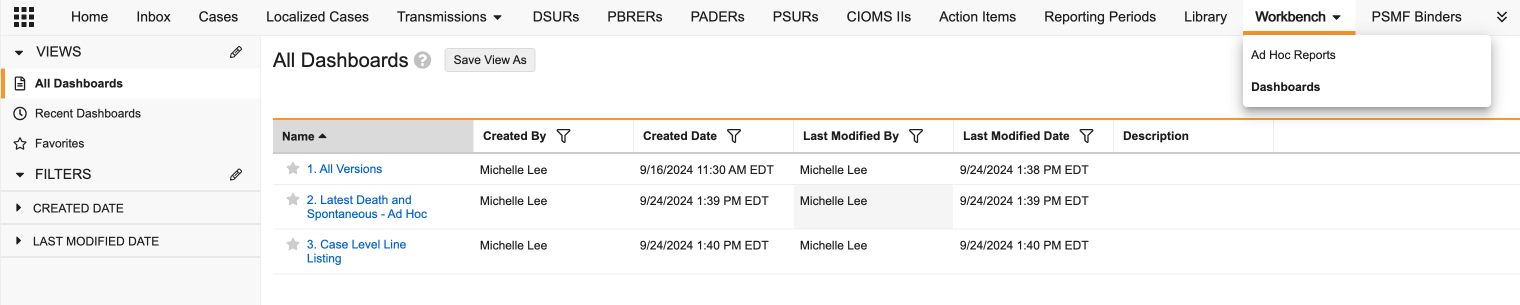
Use the _Dashboards_ tab to create _Workbench Dashboards_ to display and analyze case data across various _Workbench Reports_. Create, view, and manage _Workbench Dashboards_ in the _Workbench > Dashboards_ tab.
 ## Report Sets
Use the _Report Sets_ tab to create _Workbench Report Sets_ to manage multiple _Workbench Reports_ with a common purpose. From a report set, you can add filters that apply to all reports within the report set. You can also run and download all the reports in the report set at once.
## Report Definitions
Use the _Report Definitions_ tab to create _Workbench Report Definitions_ to provide reusable layouts for _Workbench Reports_.
## Report Sets
Use the _Report Sets_ tab to create _Workbench Report Sets_ to manage multiple _Workbench Reports_ with a common purpose. From a report set, you can add filters that apply to all reports within the report set. You can also run and download all the reports in the report set at once.
## Report Definitions
Use the _Report Definitions_ tab to create _Workbench Report Definitions_ to provide reusable layouts for _Workbench Reports_.